Elasticsearch Agent Builder: Intent Classifier, Ingest & Query Pipeline - Make your data conversational!
Turn Telegram chat and voice messages into searchable knowledge using an n8n orchestration that leverages AWS Bedrock LLMs, Elasticsearch MCP, and the Elastic Agent Builder for custom function-calling tools and retrieval workflows.
This repository contains an architecture diagram and documentation for an automated system that connects Telegram > n8n workflow > AWS Bedrock (LLMs) > Elasticsearch, enabling both ingestion (indexing structured JSON) and conversational query flows.
Overview
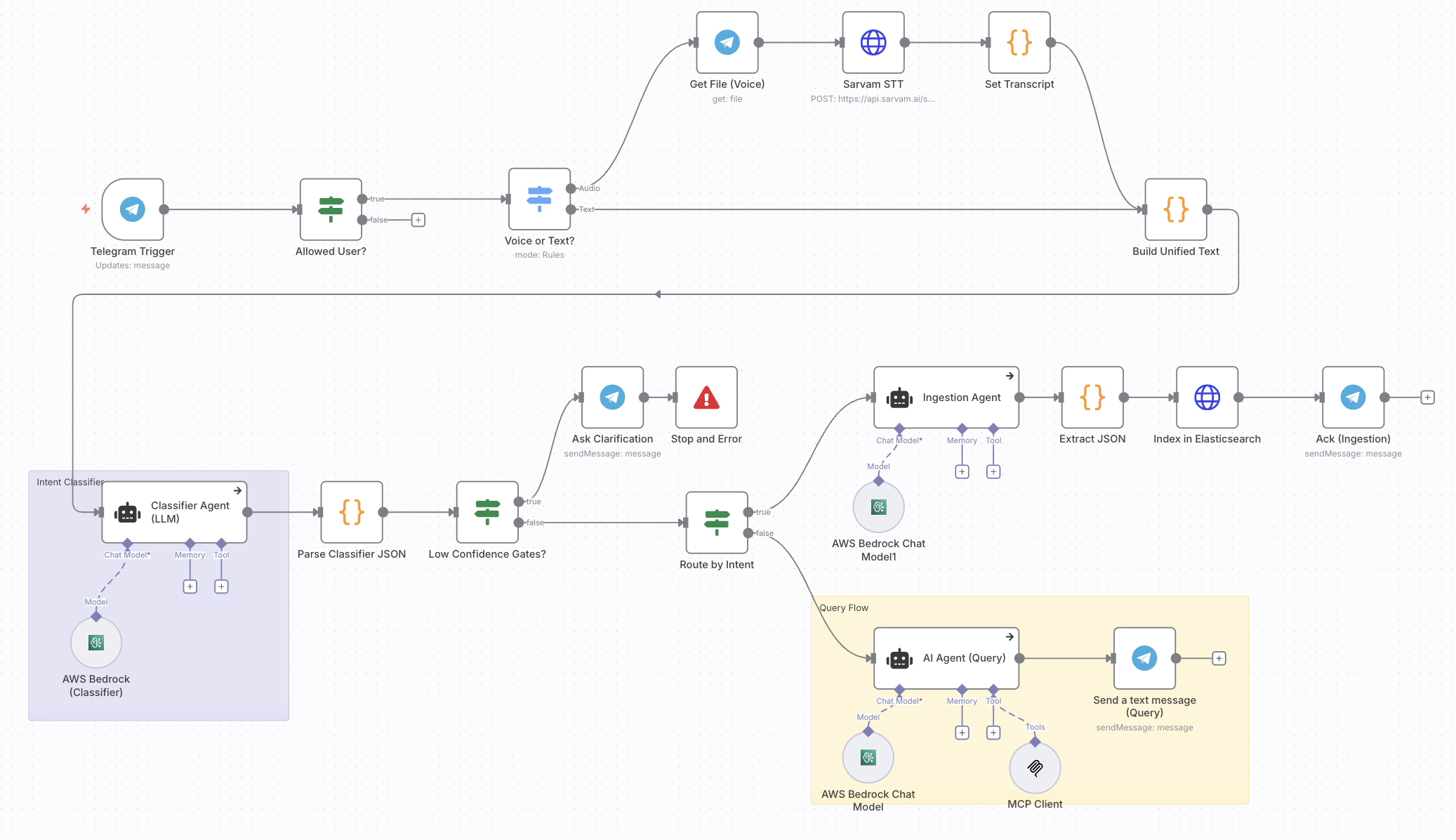
Users send messages (text or voice) to a Telegram bot. An n8n workflow receives the message, optionally transcribes audio via a speech-to-text service, and builds a unified text payload. That payload is sent to a classifier agent (LLM hosted via AWS Bedrock) which returns a structured JSON with the detected intent, signals, and metadata (confidence, entities, etc.).
Based on the intent the workflow either:
Ingestion Flow:
- Routes to the ingestion flow: an ingestion agent prepares a JSON document based on the Elastic Common Schema, which is then indexed into Elasticsearch with the
semantic_textfield to activate Semantic search.
Search Flow:
- Routes to the query flow: an AI query agent consults
Elasticsearch MCP Server, formats the natural language, and responds to the user in Telegram.
Low-confidence classifieroutputs trigger an interactive clarification step in Telegram when the confidence is below the threshold.
End Goal
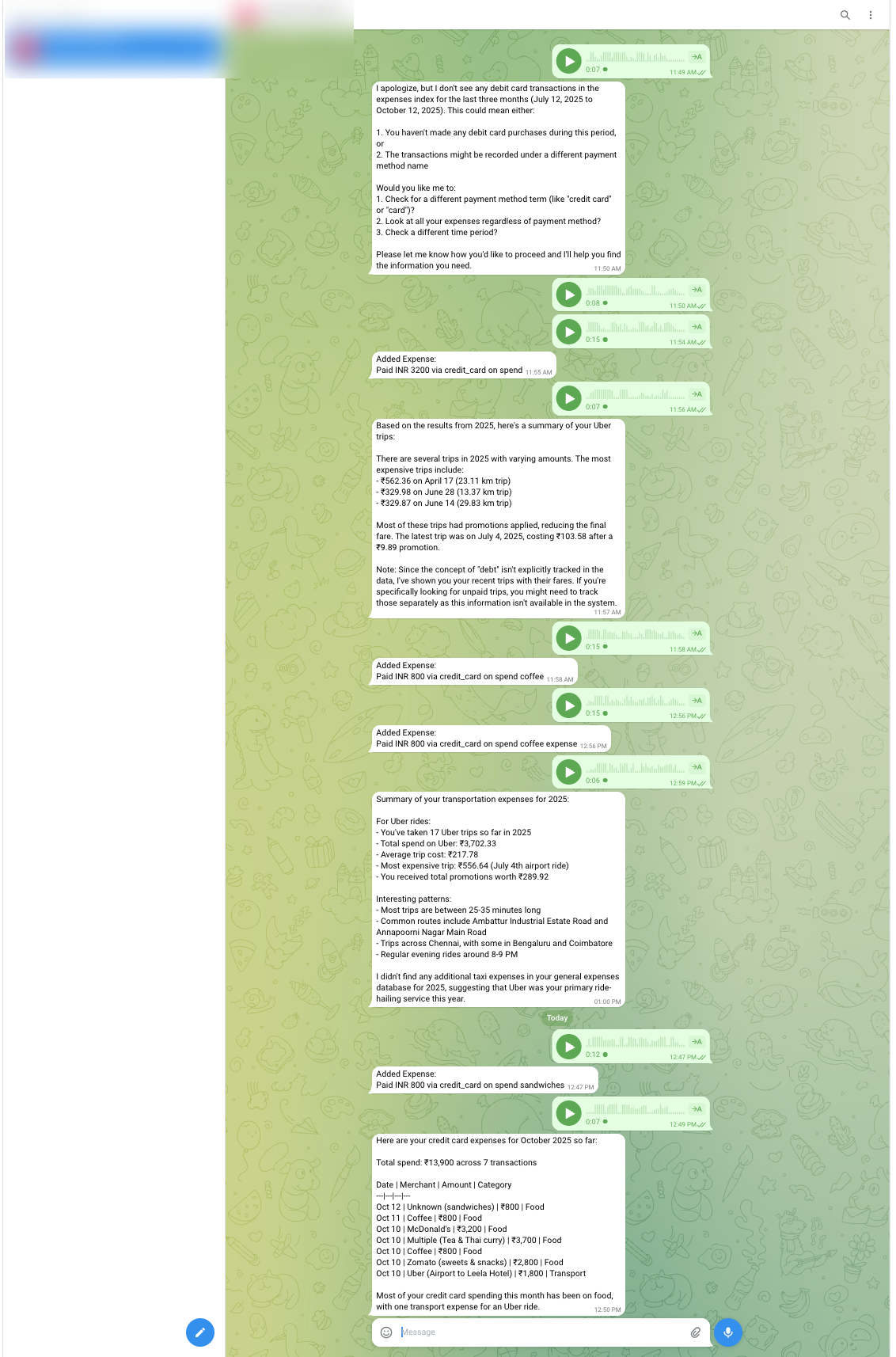
The system accepts voice or text input, processes it, queries Elasticsearch with your expense data, applies semantic retrieval, and generates a natural language response in the Telegram bot.
Architecture
Components
- Telegram: Message entry point and user notifications.
- n8n: orchestrates the workflow; routing, transformations, and integrations with external APIs.
- Speech-to-Text: External API used to convert voice messages into text. You can use it anything of your choice. I used Sarvam API for transcribing as it gave out some credits to utilize.
- AWS Bedrock: Hosts LLMs used for classification, ingestion agent, and query agent. I have used
Claude-3.5-Sonnet-v2. - Elasticsearch for ingestion: Persistent store for ingested documents and the primary data source for queries.
- Elasticsearch for searching/query: As I ingested my relevant data, I query using the Elasticsearch’s hosted MCP Server.
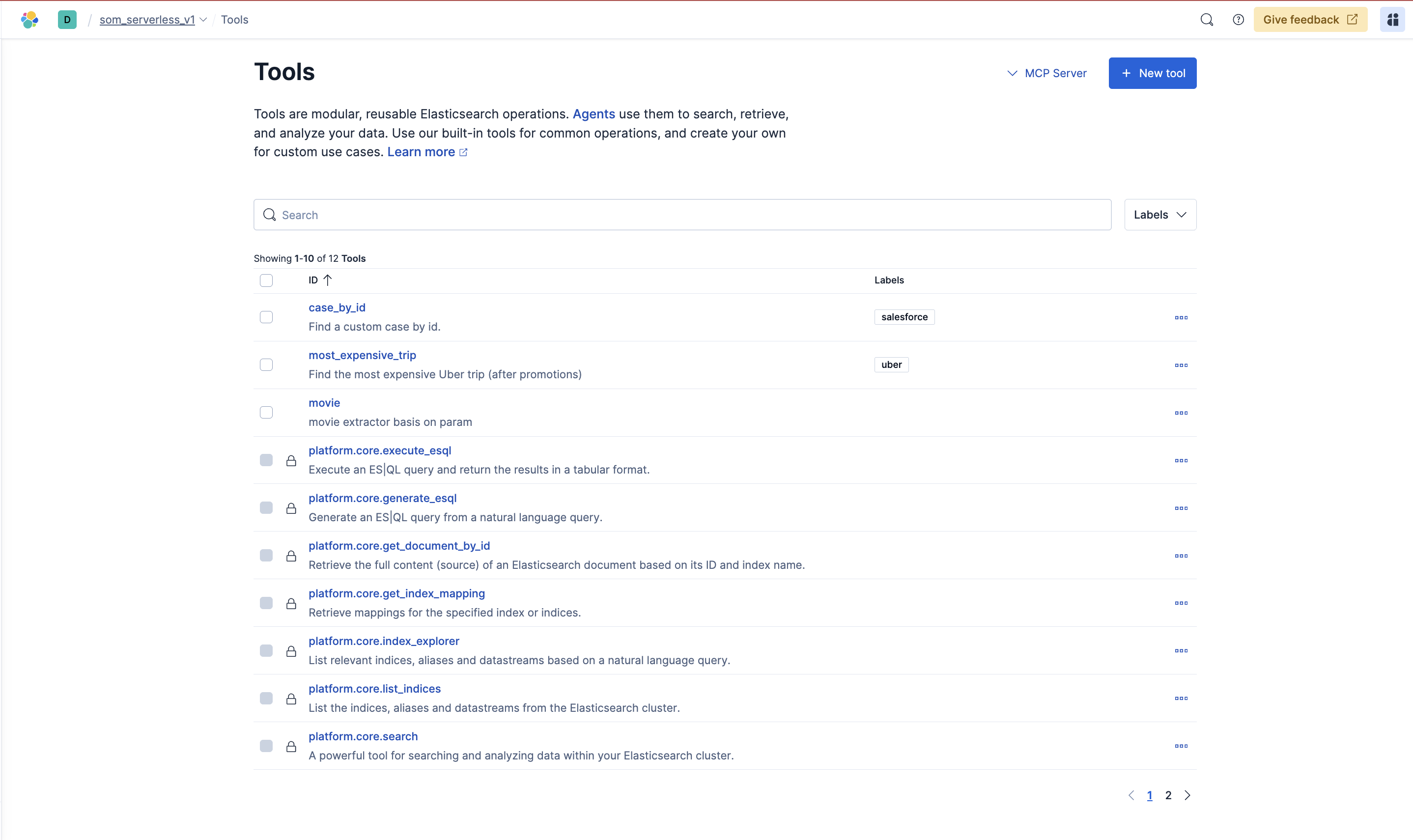
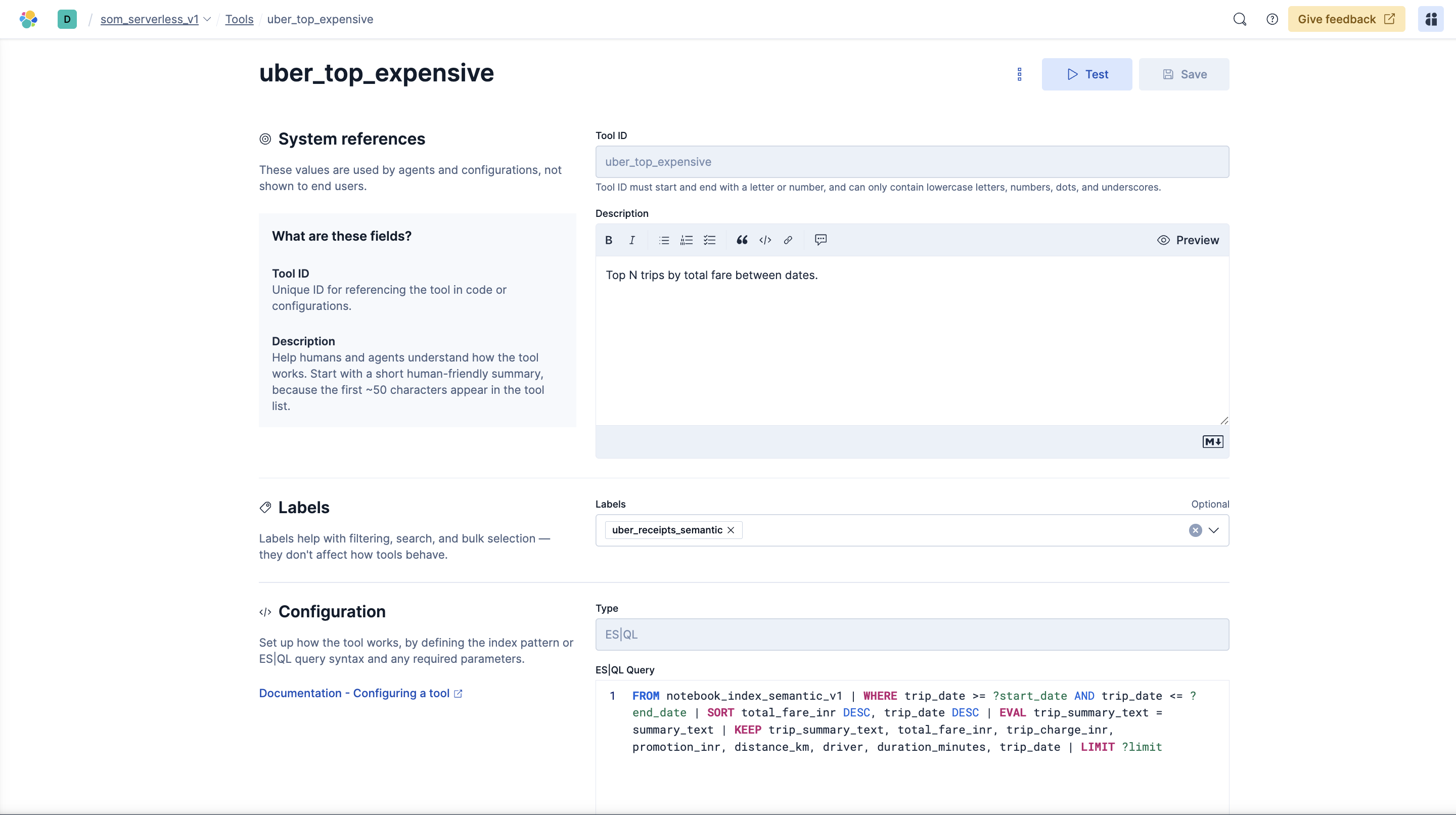
- Elasticsearch Agent Builder: It’s ability to create custom function callings/tools using the
ES|QLto direct the agents.
Low-confidence handling
- If classifier confidence < configurable threshold (e.g., 0.7), the workflow sends a clarification message to the user via Telegram and suspends processing until clarified.
- If the user fails to clarify or provides invalid input, the workflow follows an error path and optionally logs the event for review.
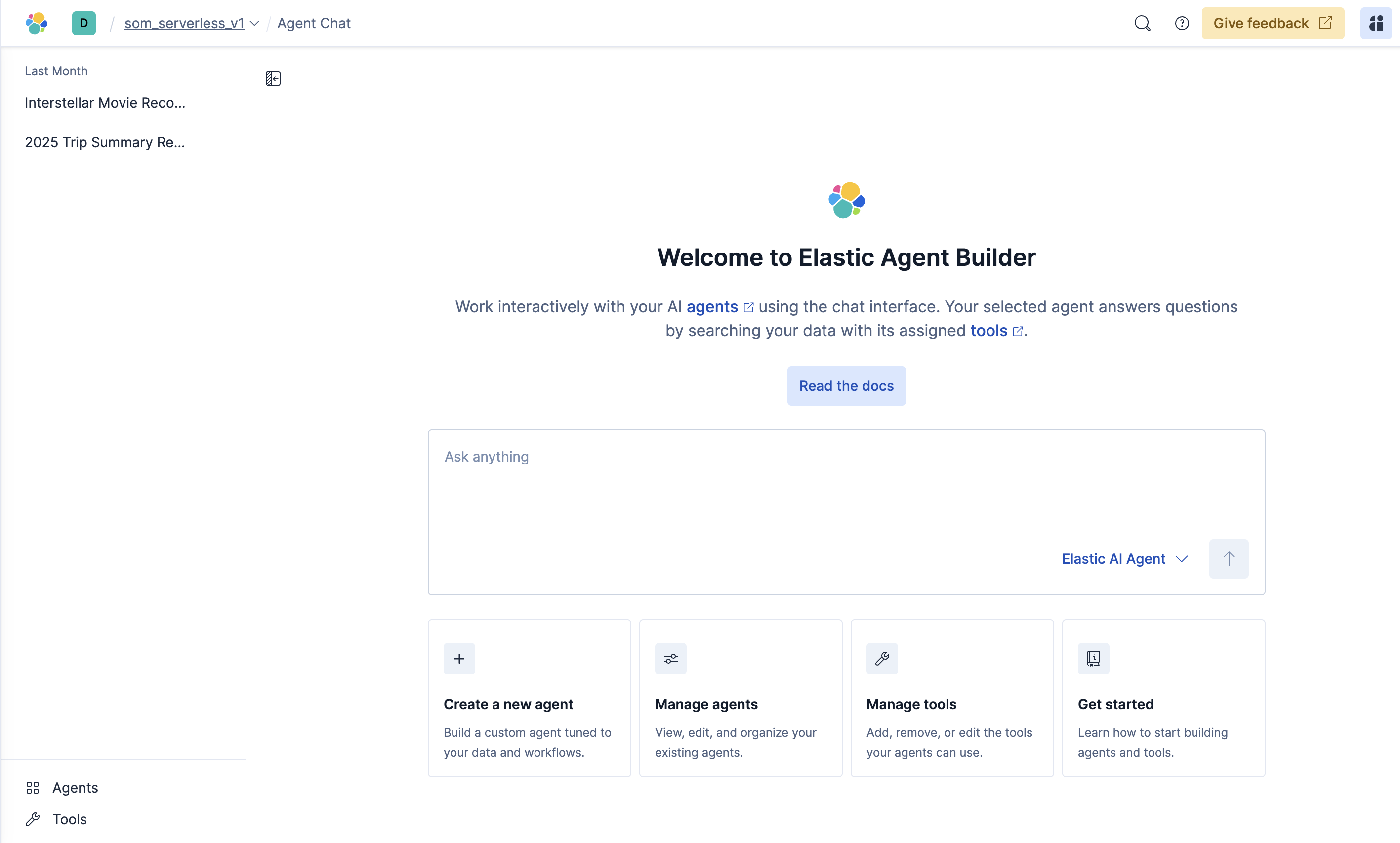
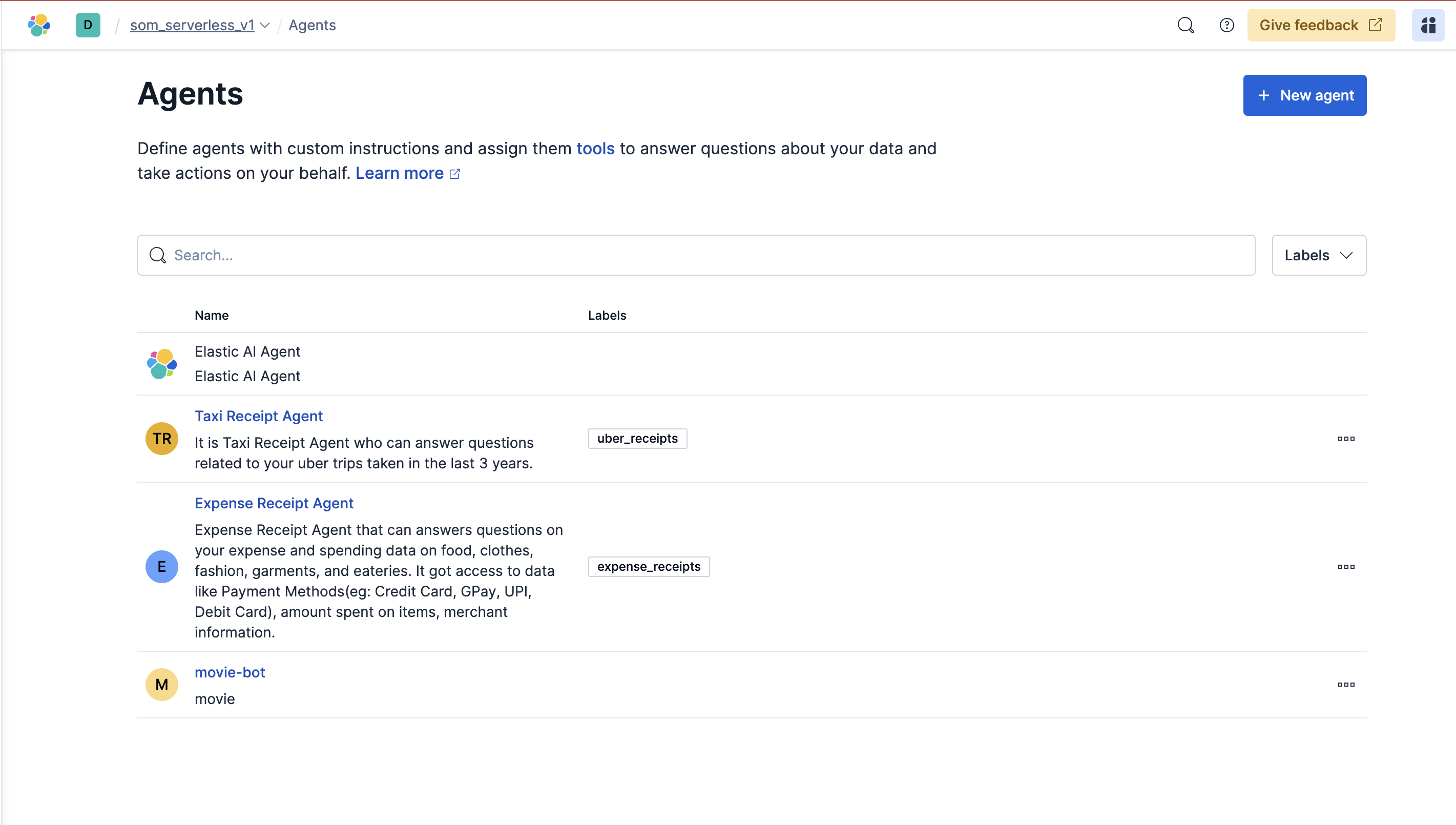
Elasticsearch Agent Builder
Edge cases & considerations
- Audio quality: poor audio can cause incorrect transcriptions; consider logging audio and transcript confidence.
- LLM hallucination: validate structured fields and use extraction/parsing steps to guard against malformed JSON.
- Duplicate ingestion: use stable deduplication keys (hash of content + user + timestamp) when indexing.
- Rate limits & costs: Bedrock and external STT services may have rate limits or usage costs—add throttling and monitoring.
- Security: store credentials (Telegram bot token, Elasticsearch credentials, AWS credentials) in n8n credentials manager or an encrypted secrets store. Do not commit secrets.
How to run (high-level)
(For complete step-by-step experience, check my Tutorial)
This repo contains documentation, the architecture diagram, n8n_workflow_scaffold which you can import directly. For a working deployment, implement these parts:
- n8n workflow
- Create the workflow shown in the diagram inside n8n.
- Add Telegram Trigger node, allowed-user filter, STT integration, LLM agent HTTP nodes, and Elasticsearch nodes.
- AWS Bedrock
- Provision models for classification and chat (or use a single flexible model with prompts).
- Securely store credentials and endpoints.
- Elasticsearch
- Create an index with an appropriate mapping for ingested documents.
Elasticsearch Index Mapping with semantic_text field enabled:
   {
  "mappings": {
    "properties": {
      "amount": {
        "type": "double"
      },
      "attachments": {
        "type": "nested",
        "properties": {
          "hash": {
            "type": "keyword"
          },
          "linked_expense_ids": {
            "type": "keyword"
          },
          "type": {
            "type": "keyword"
          },
          "url": {
            "type": "keyword"
          }
        }
      },
      "audio_hash": {
        "type": "text",
        "fields": {
          "keyword": {
            "type": "keyword",
            "ignore_above": 256
          }
        }
      },
      "category": {
        "type": "keyword"
      },
      "chat_id": {
        "type": "keyword"
      },
      "currency": {
        "type": "keyword"
      },
      "merchant": {
        "type": "keyword"
      },
      "normalized_inr": {
        "type": "double"
      },
      "note": {
        "type": "text",
        "copy_to": [
          "semantic_all"
        ]
      },
      "payment_method": {
        "type": "keyword",
        "copy_to": [
          "semantic_all"
        ]
      },
      "raw_transcript": {
        "type": "text",
        "copy_to": [
          "semantic_all"
        ]
      },
      "segments": {
        "type": "nested",
        "properties": {
          "amount": {
            "type": "double"
          },
          "category": {
            "type": "keyword"
          },
          "end_ms": {
            "type": "integer"
          },
          "merchant": {
            "type": "keyword"
          },
          "payment_method": {
            "type": "text",
            "fields": {
              "keyword": {
                "type": "keyword",
                "ignore_above": 256
              }
            }
          },
          "start_ms": {
            "type": "integer"
          },
          "text": {
            "type": "text",
            "copy_to": [
              "semantic_all"
            ]
          }
        }
      },
      "semantic_all": {
        "type": "semantic_text",
        "inference_id": "bedrock-embeddings",
        "model_settings": {
          "service": "amazonbedrock",
          "task_type": "text_embedding",
          "dimensions": 1024,
          "similarity": "cosine",
          "element_type": "float"
        }
      },
      "stt_confidence": {
        "type": "double"
      },
      "stt_model": {
        "type": "keyword"
      },
      "stt_provider": {
        "type": "keyword"
      },
      "ts": {
        "type": "date"
      },
      "user_id": {
        "type": "keyword"
      }
    }
  }
}
Sample data ingested and processed via semantic_text
   {
  "_index": "expenses",
  "_id": "224",
  "_version": 1,
  "_source": {
    "normalized_inr": 4500,
    "note": "Burger purchase",
    "amount": 4500,
    "user_id": "567876545",
    "merchant": "McDonald's",
    "currency": "INR",
    "category": "food",
    "raw_transcript": "Can you add my expense on McDonald's burger yesterday which is 25th of September which was Thursday and I paid via my credit card and I spent around 4500.",
    "payment_method": "credit_card",
    "chat_id": "45678456784567-iyn678",
    "ts": "2025-09-25T12:00:00+05:30"
  },
  "fields": {
    "normalized_inr": [
      4500
    ],
    "note": [
      "Burger purchase"
    ],
    "amount": [
      4500
    ],
    "semantic_all": [
      "Burger purchase",
      "credit_card",
      "Can you add my expense on McDonald's burger yesterday which is 25th of September which was Thursday and I paid via my credit card and I spent around 4500."
    ],
    "user_id": [
      "567876545"
    ],
    "merchant": [
      "McDonald's"
    ],
    "currency": [
      "INR"
    ],
    "category": [
      "food"
    ],
    "raw_transcript": [
      "Can you add my expense on McDonald's burger yesterday which is 25th of September which was Thursday and I paid via my credit card and I spent around 4500."
    ],
    "payment_method": [
      "credit_card"
    ],
    "chat_id": [
      "45678456784567-iyn678"
    ],
    "ts": [
      "2025-09-25T06:30:00.000Z"
    ]
  }
}
- Secrets and credentials
- Configure Telegram bot token, Bedrock auth, STT API key, and Elasticsearch credentials in the environment or n8n credential manager.
Sample data & Colab quickstart
-
Sample CSV:
data/expense_dataset_elasticsearch.csvcontains synthetic 2025 expenses with the fields shown in the mapping above. Import it to yourexpensesindex (or the index name you prefer) to test semantic search and the n8n ingestion flow. -
Try it in Colab: Open build-elastic-agent-expense-assistant.ipynb in Google Colab to run through ingestion and query examples without setting up local tooling. Update the Elasticsearch endpoint, auth, and index name in the notebook cells before running.
License
This project will be licensed under the Apache License 2.0. See LICENSE.